
Glossary Widget
Summary: EazyDocs version 1.3.7 introduces a powerful Glossary Knowledge Base for Pro users, enabling effortless creation of glossaries using a custom Elementor widget. Easily customize, sort, and display terms, acronyms, and concepts for your documentation needs.
Introducing a major update to EazyDocs, from EazyDocs version 1.3.7 pro users will be able to create Glossary Knowledge bases using our custom Glossary Elementor widget.
The Glossary widget is very easy to use; simply place the widget on your Elementor page and select the correct documentation/knowledge base from the control menu. And watch as EazyDocs automatically generates a functional glossary page with content.
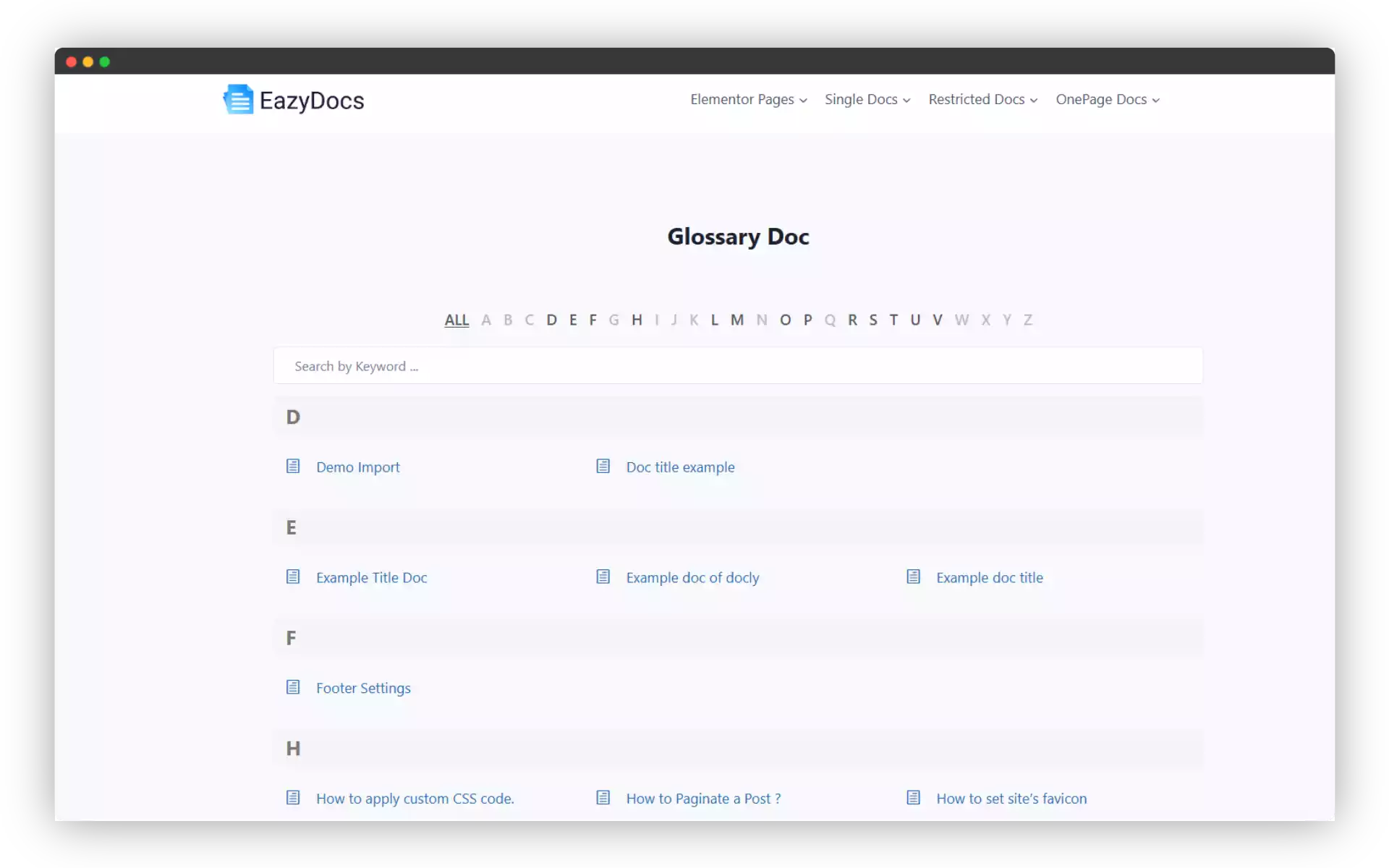
What is a Glossary Knowledge Base?
A glossary is a curated list of terms, acronyms, and concepts along with their definitions. It acts as a reference point for users encountering unfamiliar terminology.
EazyDocs Glossary Knowledge Base Features:
EazyDocs is the only documentation plugin in its class to feature an extensive glossary feature without any additional plugins.
Additional Resources
How to Create a Glossary Knowledge Base
